
Accessibility is the ability to make websites usable by everyone. When a website is not accessible, we are creating barriers and making their impairment a disability. We need to build websites and include accessibility testing in our STLC to cater to people with disabilities for both better business and usability.
Accessibility testing involves checking whether a website abides by WCAG guidelines and accessibility legislation and yields better SEO. It spans both open-source utilities and enterprise-grade platforms.
Open-source tools like Lighthouse, WAVE, Pa11y, and axeTools are widely adopted for their simplicity and community support.
At the same time, platforms like BrowserStack extend coverage with features such as real-device testing, AI-driven detection, and compliance with global regulations.
Let’s explore some widely used accessibility audit tools.
BrowserStack
BrowserStack provides a unified, powerful platform for web and mobile app accessibility testing. It integrates manual, automated, and extension-based workflows to help teams ensure compliance with WCAG standards across real devices, browsers, and environments. While not open source, it offers reliable free plans and enterprise-grade capabilities.
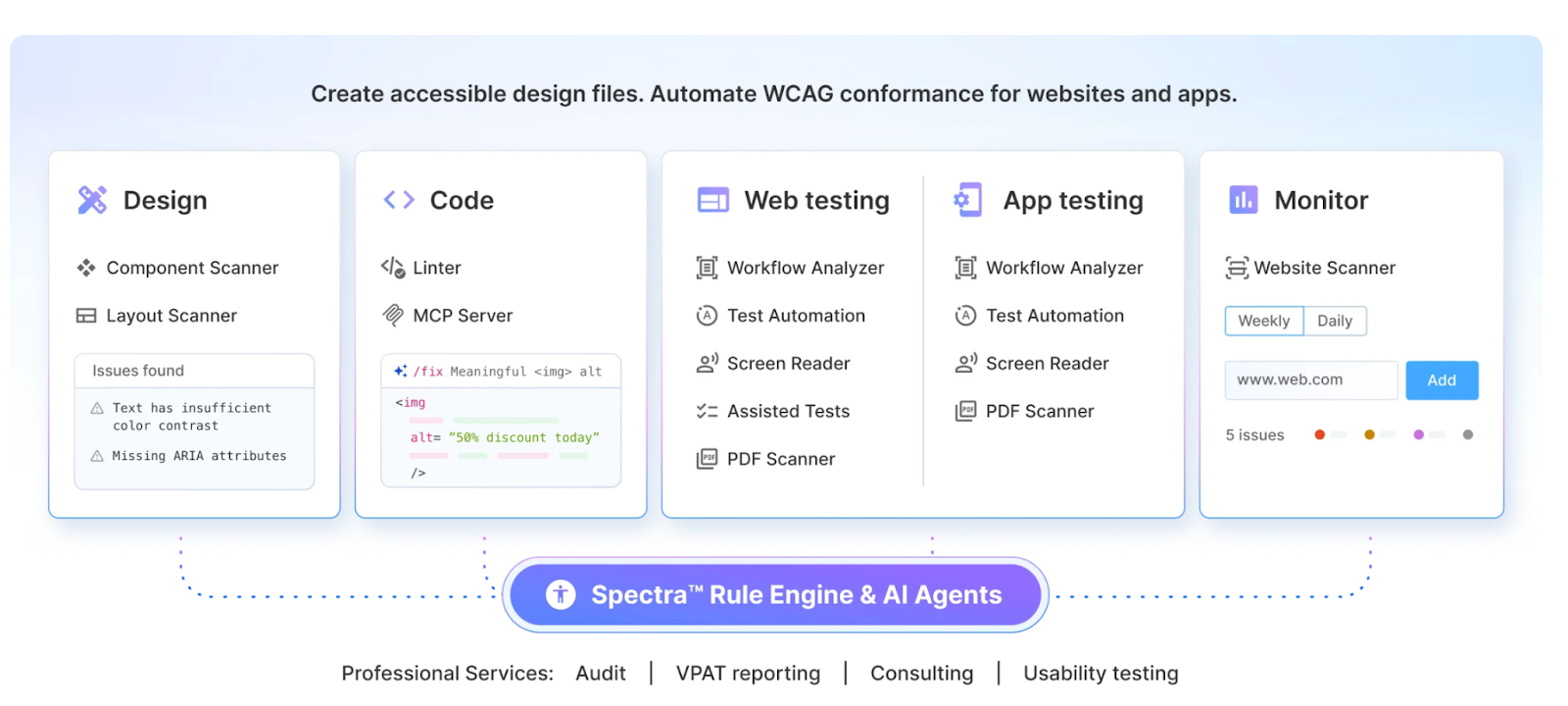
BrowserStack Accessibility Testing (Web)
Though an enterprise-grade tool, BrowserStack Accessibility Testing is built to cater to teams of all sizes to help deliver inclusive digital experiences effectively. It ensures adherence to 10+ global regulations, including WCAG, ADA, EAA, and Section 508. The tool offers automated scans, manual testing capabilities, a real device cloud, and seamless integration into development workflows.
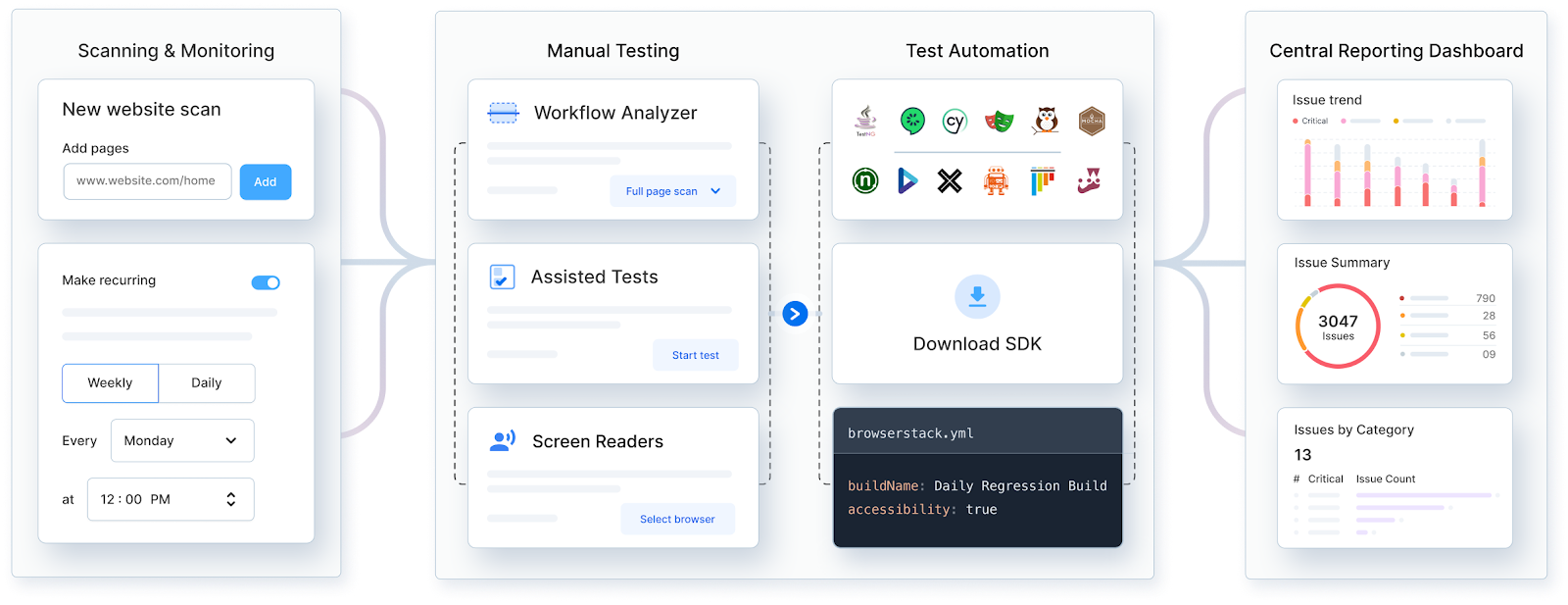
Key features
BrowserStack mobile app accessibility testing
Beyond websites, BrowserStack also extends accessibility testing to mobile apps. BrowserStack Mobile App Accessibility Testing streamlines accessibility standard assessments on real iOS and Android devices.
Driven by the Spectra™ Rule Engine, it delivers automated, AI-driven detection of 20+ key WCAG success criteria and ensures maximised coverage and accuracy.
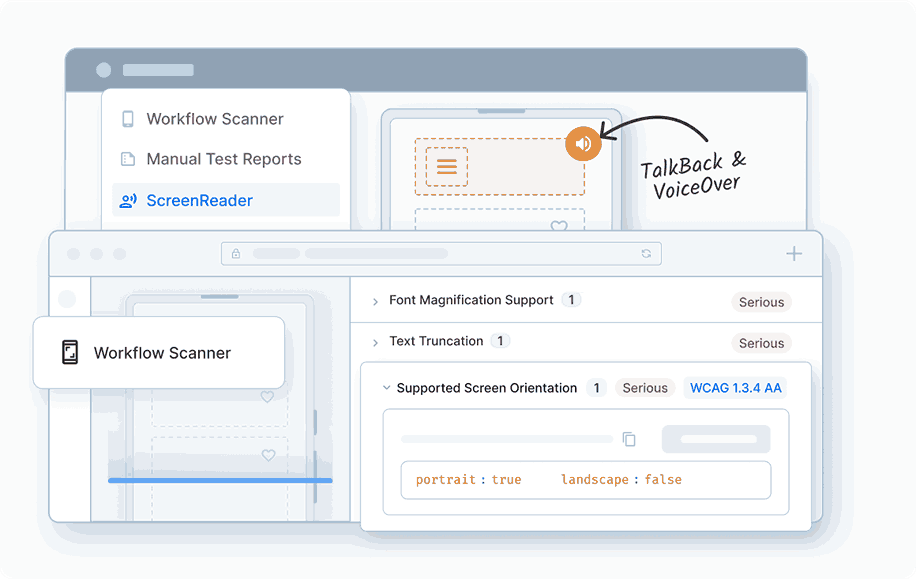
Key features
To use App Accessibility Testing, you can sign up for a free account on BrowserStack.
BrowserStack accessibility toolkit extension
For developers, BrowserStack’s Accessibility Toolkit is available as a browser extension. It integrates directly into Chrome DevTools for fast, in-context testing.
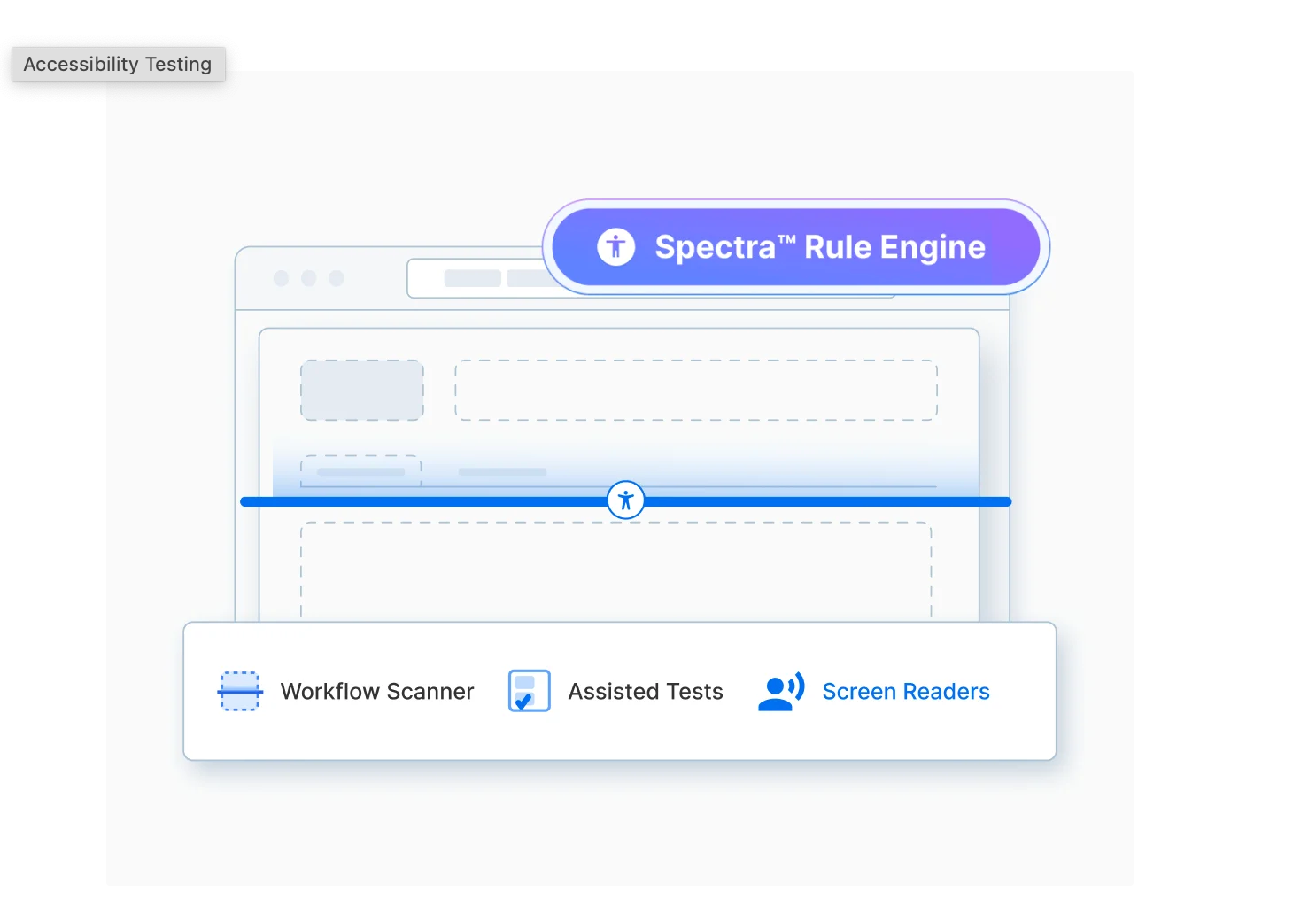
Key features
How to use the extension
Lighthouse
Lighthouse is an open-source, automated tool that can audit web pages regarding performance or accessibility issues.
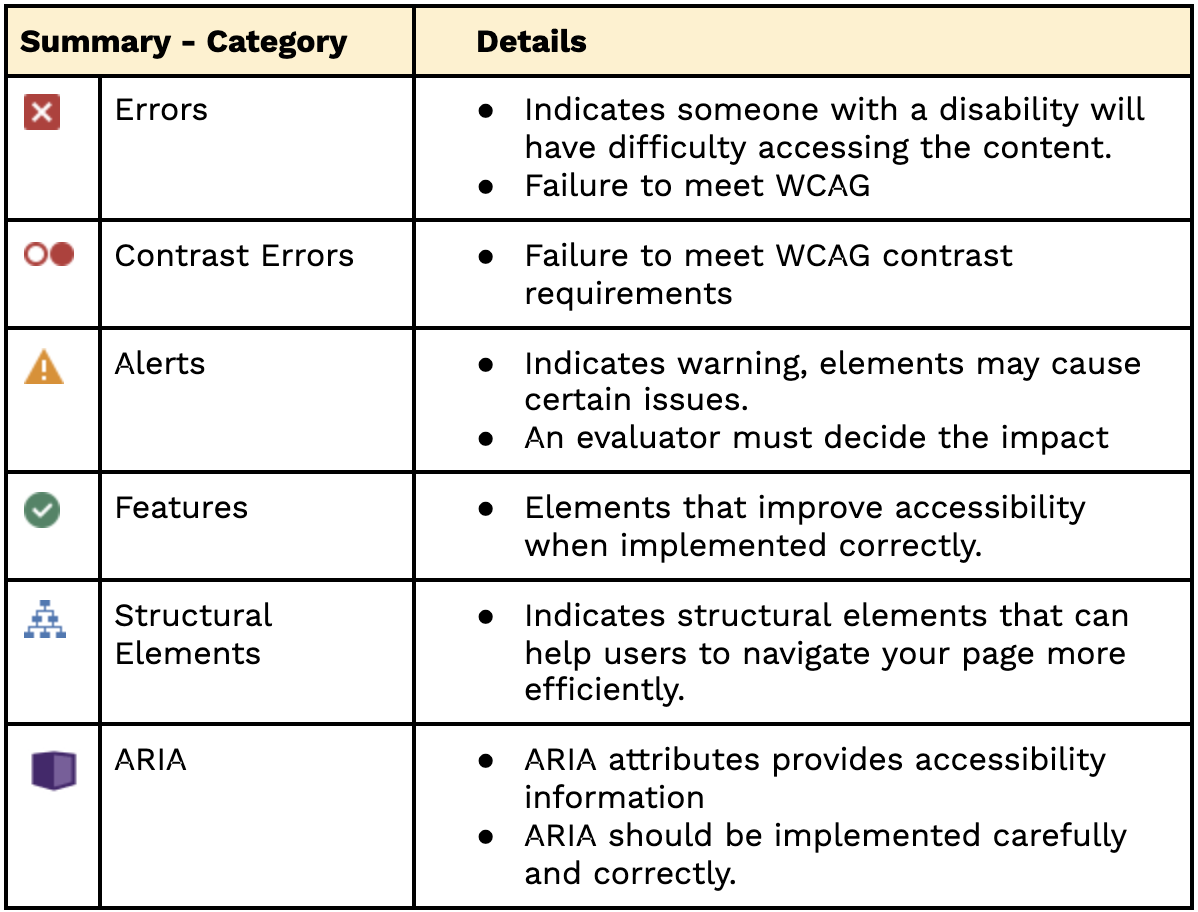
Lighthouse audit report consists of accessibility score, rules that elements fail to meet, passed audits, ‘additional items to manually check’ and ‘not applicable audit for the web page’. Audit scoring is done based on the categories mentioned below and a report is generated:
Lighthouse is available in three workflows:
A] Chrome DevTools
Lighthouse is built-in the Chrome browser, with no setup or extensions to install, and can be used to test both local sites and authenticated pages. Here’s how you can audit URLs accessibility via Lighthouse Chrome DevTools:
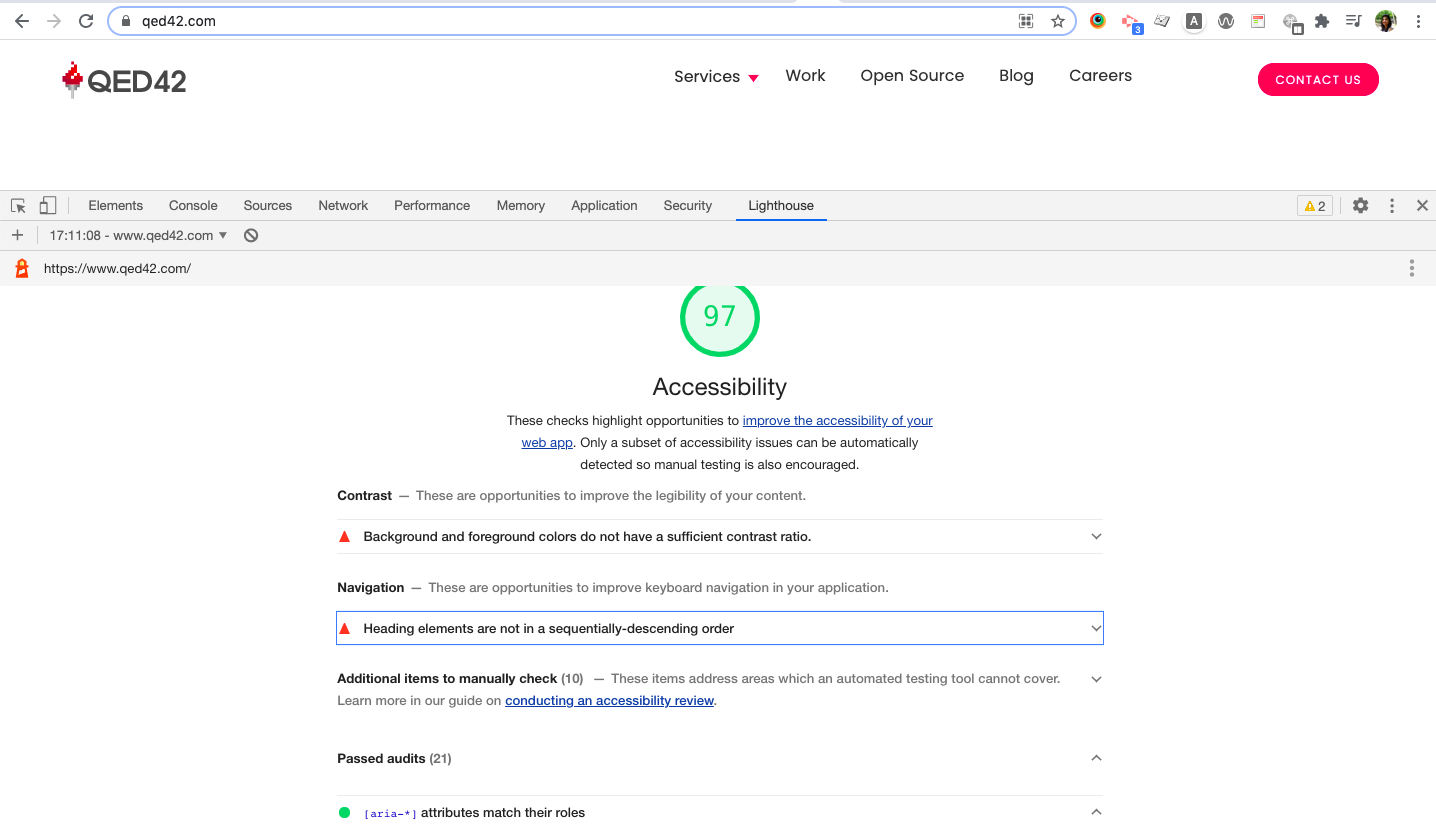
Attached to each section of the report is a documentation/link explaining why that part of your page was audited and how to fix it.

B] Command Line (Node CLI)
Lighthouse can be configured and reported for advance usage via Node CLI. Follow the below-mentioned steps:
1. Download Node here. If you have it installed already, skip this step
2. Install Lighthouse
npm install -g lighthouse
3. Run your audit
# Run audit on the given url
lighthouse https:www.qed42.com
4. By default, Lighthouse generates the report in an HTML format. The report can also be displayed in JSON format by passing flags.
# JSON output sent to stdout
lighthouse --output json

# Saves `./report.json`
lighthouse --output json --output-path ./report.json
C] Chrome Extension
Note: “The DevTools workflow is the best as it provides the same benefits as the extension workflow, with the added bonus of no installation needed.”
WAVE
The WAVE tool is a web accessibility evaluation tool, which helps analyze a website for accessibility and compliance with Web Content Accessibility Guidelines (WCAG) standard. WAVE is hosted by webaim.org, and is available as a ‘Website’ and as an ‘extension for Chrome/Firefox browsers’.
A] The WAVE website
B] WAVE Browser Extensions
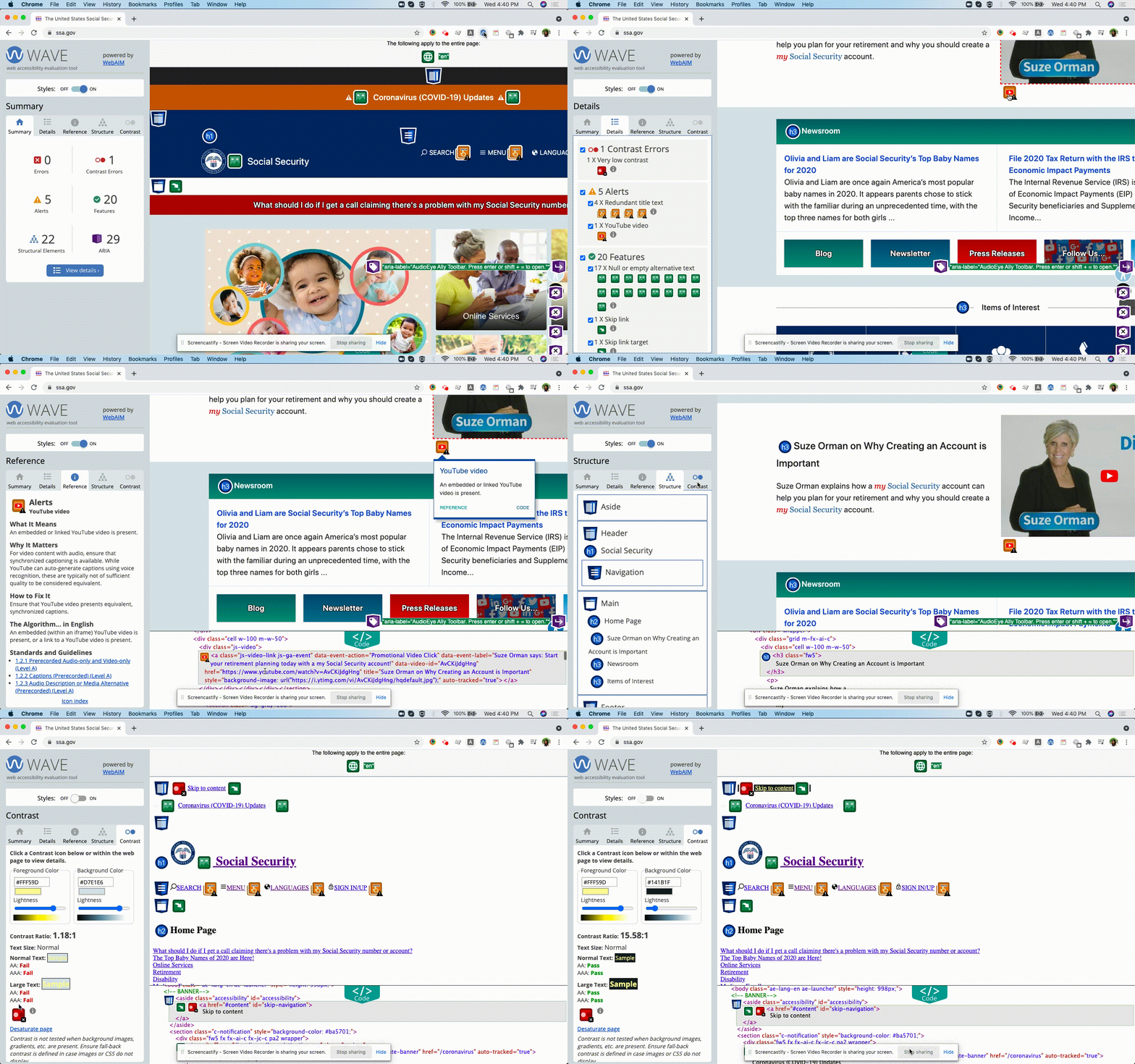
The WAVE Chrome and Firefox extensions allow you to evaluate web content for accessibility issues directly within Chrome and Firefox browsers. The extension checks intranet, password-protected, dynamically generated, or sensitive web pages. It can also evaluate locally displayed styles and dynamically-generated content from scripts or AJAX. Follow these simple steps:
What does a WAVE Audit Report include?
PA11Y
Pa11y is an open-source project that helps designers and developers make their web pages more accessible. There is a range of Pa11y free and open-source tools available.
A] Pa11y
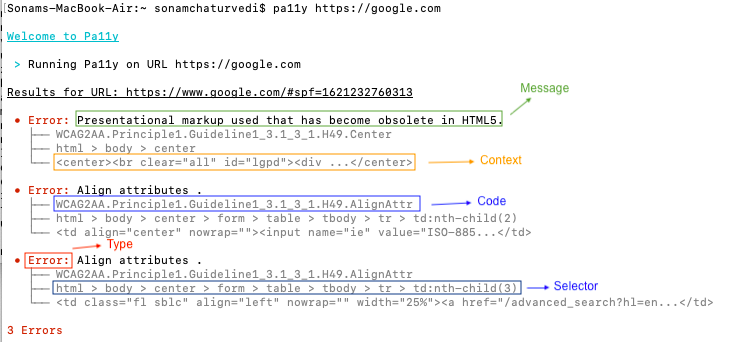
Pa11y is a command-line interface that loads web pages and highlights any accessibility issues it finds. It is useful when you want to run a one-off test against a web page. The Pa11y test result consists of Type, Message, Code, Context and Selector fields.
# Run an accessibility test to output result in human-readable format
pa11y https://google.com
# Using Reporter, run an accessibility test to output result in csv file or json array or html format
pa11y --reporter csv https://google.com > report.csv
pa11y --reporter json https://google.com > report.json

pa11y --reporter cli https://google.com
pa11y --reporter html https://google.com > report.html
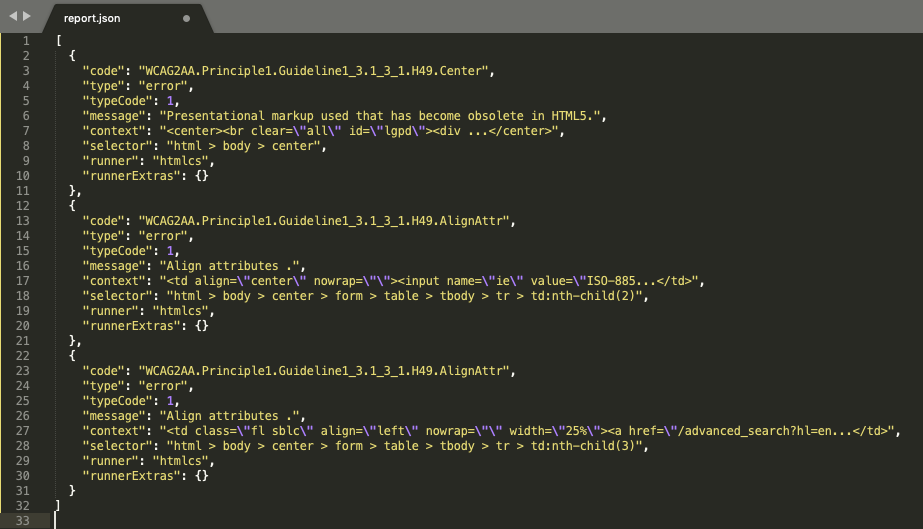
B] Pa11y CI
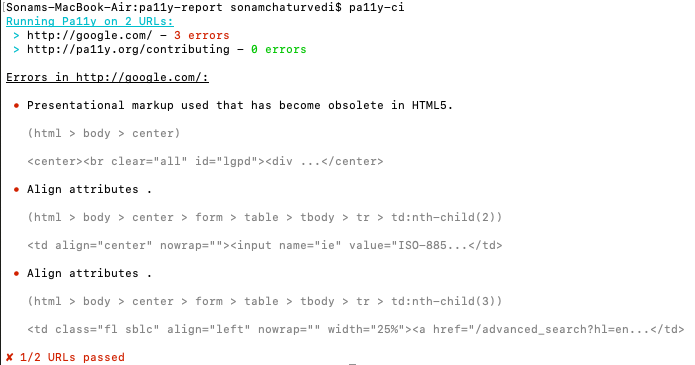
Pa11y CI can be used to run accessibility tests against multiple URLs or viewports and highlight the issues. You simply need to add the web page URLs in the .pa11yci JSON file (a config file in the current working directory).
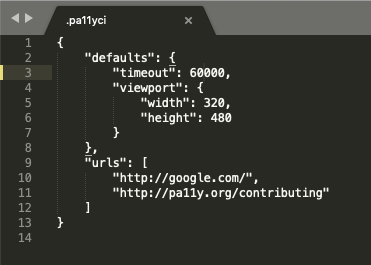
# Run an accessibility test using pa11y-ci
pa11y-ci
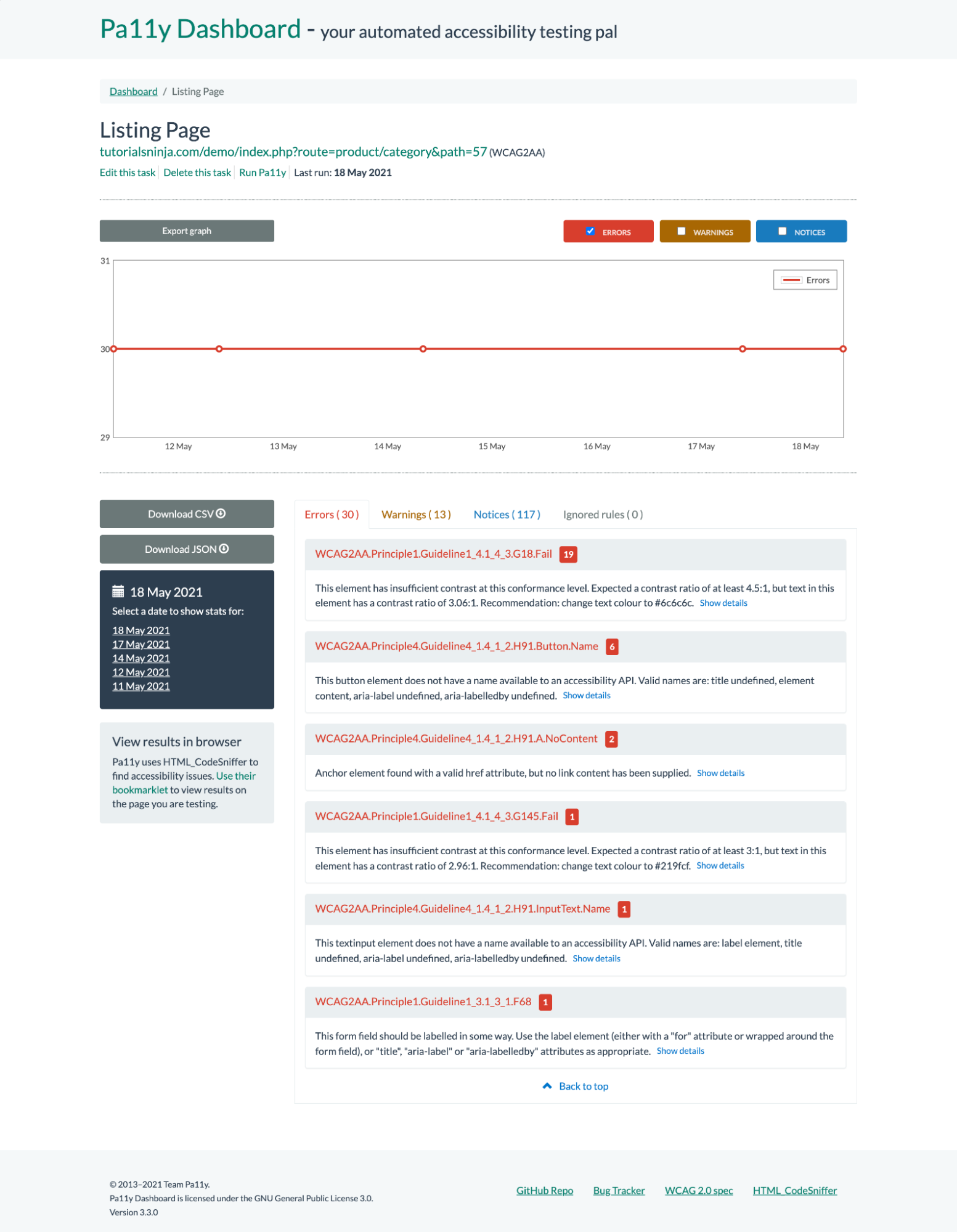
C] Pa11y Dashboard
Pa11y Dashboard is an open-source web interface that helps keep a track of automated accessibility tests over time. It allows users to view, manage audit tasks, trigger audits and generate reports. Follow these steps:
Note: Refer to our Pa11y blog for installation and configuration steps
axeTools
A] axe DevTools
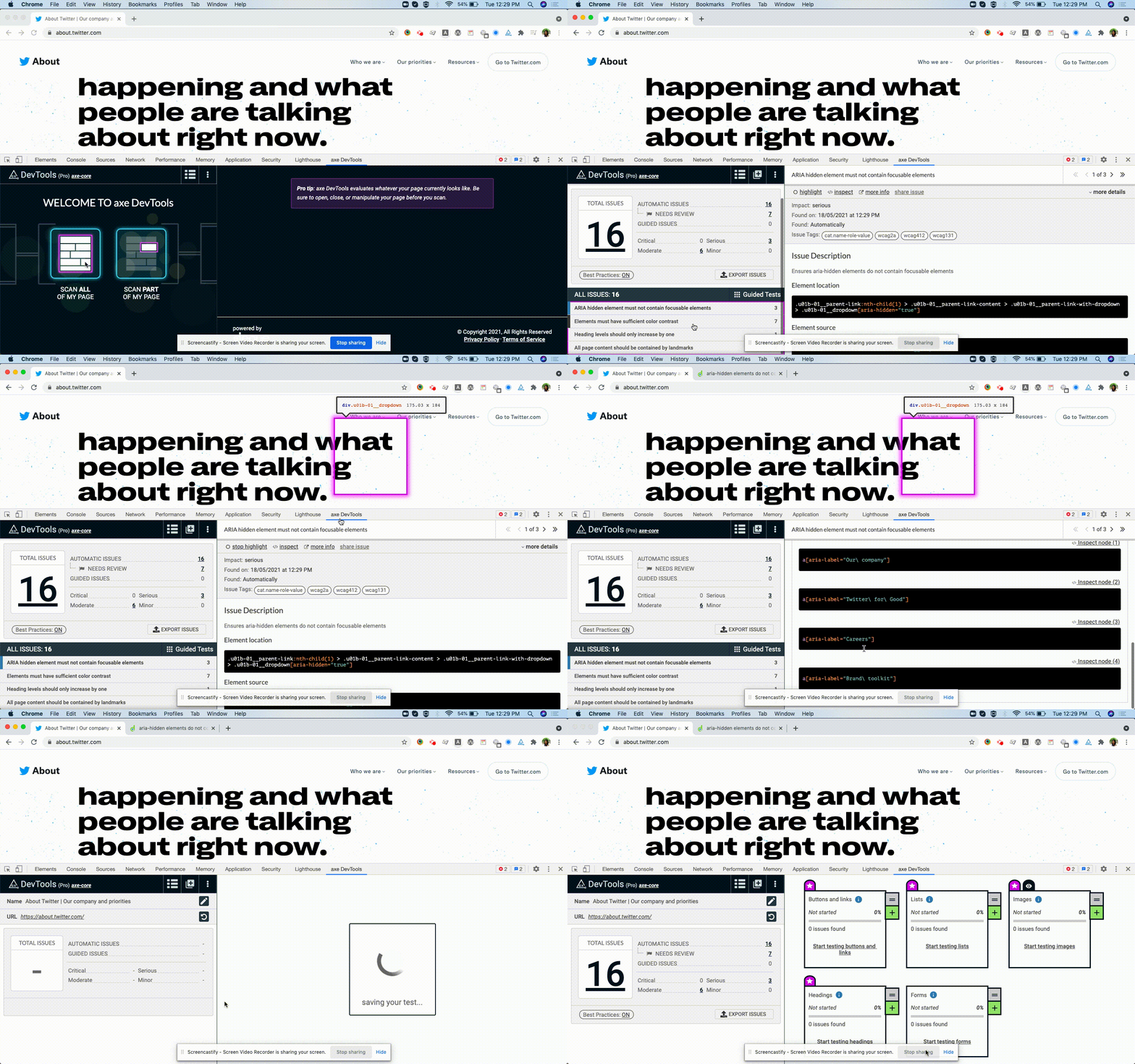
axe DevTools is an accessibility testing and audit tool maintained by deque. By using a combination of automated and guided testing, dev teams can catch up to 84% of common accessibility issues without requiring accessibility expertise. Steps to implement axe DevTools:
1. Install “axe DevTools” Chrome / Firefox extension to your respective browser
2. Open the webpage you want to audit
3. Open the browser’s developer tool and click on the “axe DevTools” tab
4. Scan the webpage and audit result will be displayed
5. The audit result contains the issue summary and a detailed description of each issue.
Now save the results
Axe DevTools provides Intelligent Guided Test functionality. These guided tests raise accessibility issues about page content and then build an issue report. This helps developers to identify issues in less time, resulting in cleaner code and a more accessible experience.
Axe DevTools helps present results in a variety of management reports:
Project reports for CI tools, such as Jenkins, Bamboo, or CircleCI can include accessibility metrics. (This feature is available with axeDevTools Enterprise plan)
B] axe - cli
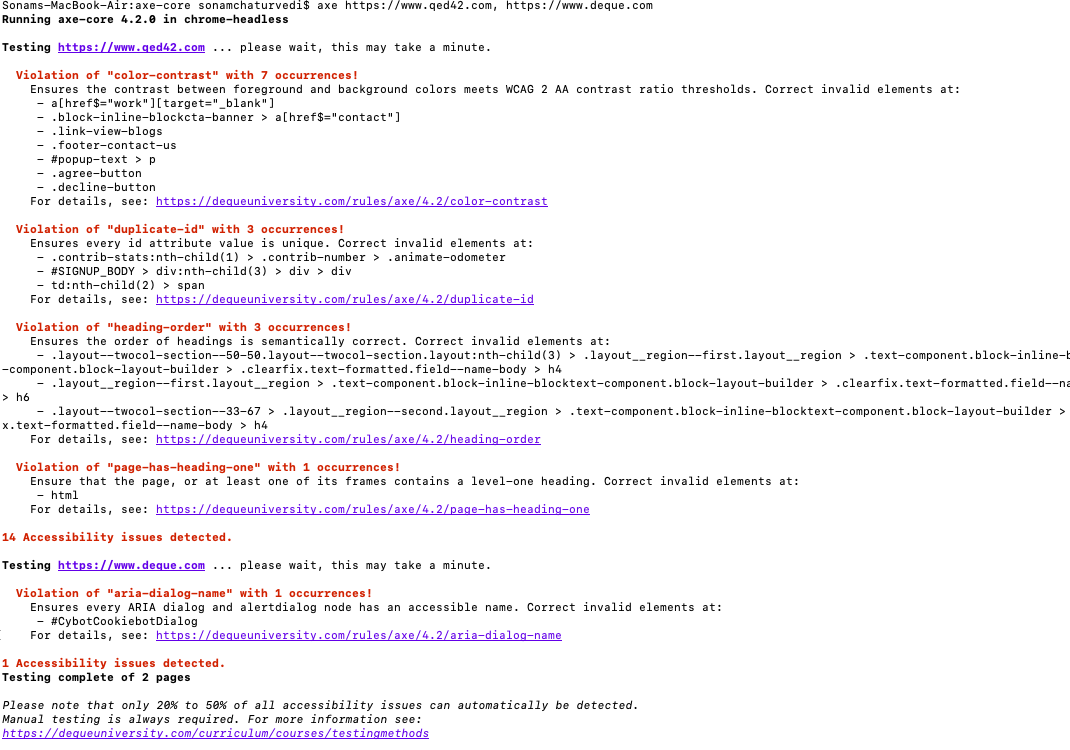
axe-cli is a command-line interface for the axe to rapidly run accessibility tests in headless chrome.
#Install axe CLI globally
npm install @axe-core/cli -g

#Run axe CLI test on the webpage
axe https://www.qed42.com

#Run axe CLI test on the multiple webpages
axe https://www.qed42.com, https://www.deque.com

#Run all wcag2a rules on the web page
axe www.deque.com --tags wcag2a

#To pipe the results to a file
axe --stdout www.deque.com > report.json
Conclusion
Accessibility testing is most effective when combined with manual testing and an accessibility audit. When you are choosing an A11y audit tool, focus on factors such as how – the tool manages multiple websites, collects accessibility issues and remediates them, how easy it is to use by both technical and non-technical team members and cost. In this way, you can use audit tools in your project and make the website more accessible.
We help build and maintain digital accessibility by embedding testing and best practices into your development process.
Happy A11y Auditing!!!